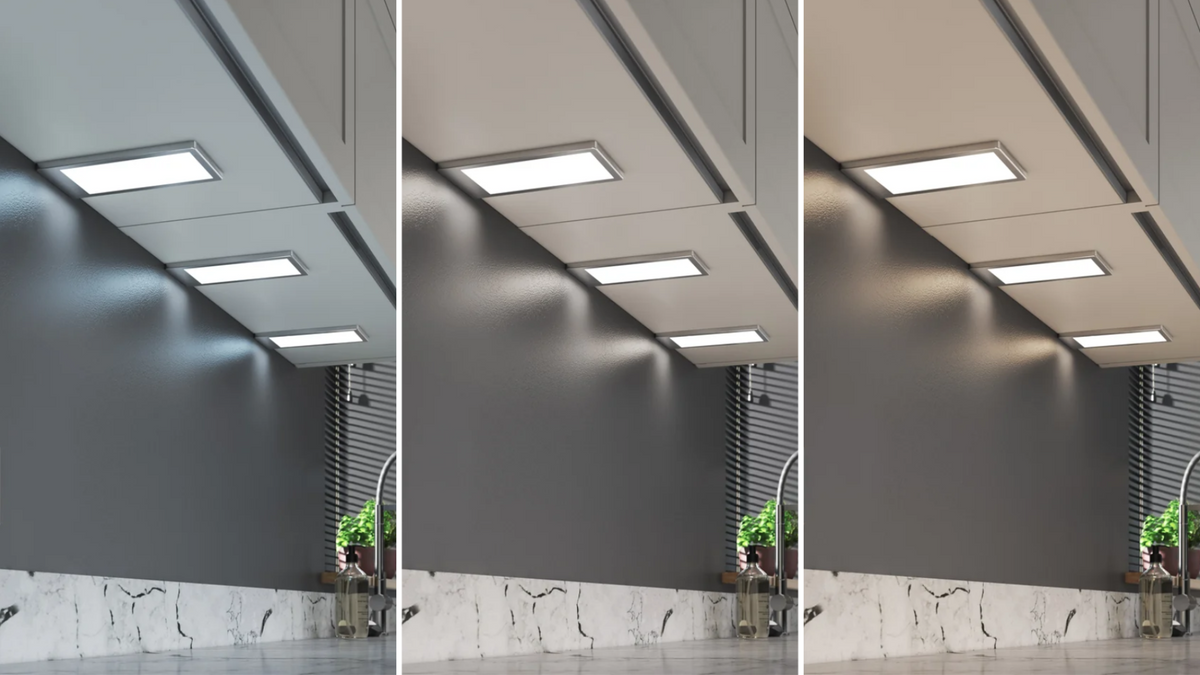

This 3 minute video shows how under cabinet lights, leads and a 24V driver come together in a typical kitchen installation.
The steps
- Plan the positions. Decide where each light sits under the wall cupboards so the worktop is evenly lit, and where the driver will go.
- Choose the right driver. Most Sensio under cabinet lights run at 24V. Single colour and TrioTone® lights use a 2-pin driver, CCT lights use a 4-pin driver. Use the driver calculator on any product page to get the size right.
- Fit the lights. Fix the spotlights or strip lights to the underside of the cupboards, surface mounted or recessed depending on the light.
- Run the leads to the driver. Connect each light's lead back to the driver, using extension leads where needed.
- Connect to the mains. Any work on mains wiring must be done by a qualified electrician.
- Switch on and test. Check every light, then set the colour (TrioTone®) or dimming if your lights have it.
Quick answers
Do under cabinet lights need a driver?
Most Sensio under cabinet lights run at 24V and need a driver. A few integrated strip lights, such as Connex™ and Axis™, run directly from mains.
Do I need an electrician to fit under cabinet lights?
The 24V lights plug into the driver, so fitting them is simple. Any work on mains wiring must be done by a qualified electrician.
What colour light is best under kitchen cabinets?
Natural white (4000K) is a popular choice for worktops because it is clear without feeling cold. Warm white (3000K) suits traditional and wooden kitchens. See our colour temperature chart.
Products in this guide
- Under cabinet lighting collection
- Astro TrioTone®, Apex TrioTone® and Hype TrioTone® spotlights
- Connex TrioTone® strip light
- 24V LED drivers
- Lighting sensors and control
Watch next

How do you choose and install a 24V LED driver?

Which LED light sensor do you need for kitchens and wardrobes?

How to install Hype TrioTone®
Related guides
- Under cabinet lighting guide and FAQs: spotlights or strip, colour of light, drivers and dimming
- How to choose kitchen lighting: planning light for every zone of the kitchen
- How to cut, connect, fit and wire LED strip lights
- Colour temperature chart: warm white vs cool white
- Plinth lights guide: lighting at floor level
- All Sensio video guides
Need help choosing? Get in touch with our team, or find a distributor near you.