
Quick answer: Yes, but the driver decides how. To dim LED strip from a mains wall dimmer switch, use the Titan™ Dimmable driver, which dims from 5% to 100% and works with most trailing edge and leading edge dimmers. The Titan+™ and the Titan smart drivers must never be fitted with a wall dimmer. They dim in other ways: with Sensio sensors, the Universal Remote Control, the Link Sensio app, Amazon Alexa or Google Assistant, or the wireless Titan Kinetic Switch.
Sensio LED strip runs at 24V from an LED driver, so a dimmer never talks to the strip directly. It controls the driver, or the driver does the dimming itself. That is why the first question is not "is this strip dimmable?" but "which driver and which control do I want?". This guide shows which Sensio drivers work with an LED dimmer switch, which do not, and the other ways to dim.
Two ways to dim LED strip
1. From a wall dimmer switch, on the mains side. The dimmer sits on the mains supply and the driver is designed to read that dimmed supply and dim the strip to match. Sensio's driver for this is the Titan™ Dimmable, which handles a dimmed mains input of up to 230V.
2. From the 24V side, with no wall dimmer. The driver dims its own 24V output. You control it with a plug-in sensor, a remote, an app, your voice or a wireless switch. This is how the Titan+™, the Titan™ Smart Kinetic range and the Modus™ Plug-in dim.
Choose the one that suits how you want to use the lights, and whether a wall dimmer is already in place.
Which Sensio drivers work with a wall dimmer?
| Driver | Use with a wall dimmer? | How it dims |
|---|---|---|
| Titan™ Dimmable (2-pin, 15W, 30W, 60W) | Yes | Mains wall dimmer switch, 5% to 100%. Works with most trailing edge and leading edge dimmers. |
| Titan+™ (2-pin, 6W to 150W) | No, never | Only when paired with a Sensio sensor, or with the Universal Remote Control and the matching receiver. |
| Titan™ Smart Kinetic (2-pin) | No | Link Sensio app, Amazon Alexa or Google Assistant, and the wireless Titan Kinetic Switch. |
| Titan™ Smart Kinetic CCT (4-pin) | No | As above, plus warm to cool white for CCT lights and strip. |
| Titan™ Smart RGBCCT (6-pin) | No | Link Sensio app, Amazon Alexa or Google Assistant, for colour, white and brightness. |
| Modus™ Plug-in (30W) | No, it plugs into a socket | With a sensor or remote control. |
Every driver's product page sets out its controls. Browse the full range of 24V LED drivers.
Using an LED dimmer switch with the Titan Dimmable
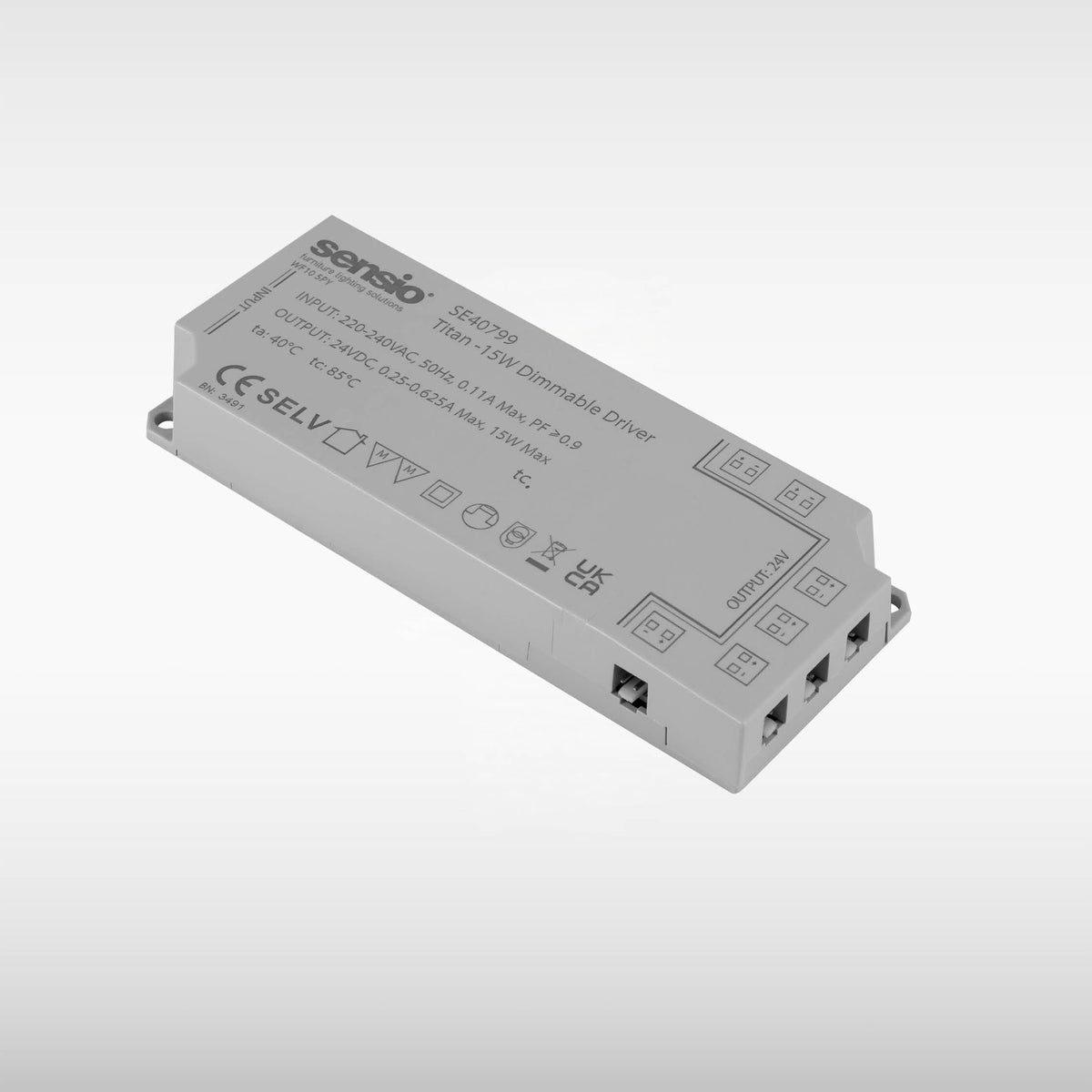
The Titan™ Dimmable is the Sensio driver built for wall dimmers. It has 2-pin distribution ports for single colour and TrioTone® lights and LED strip, comes in 15W, 30W and 60W, and dims from 5% to 100%.
- Dimmer type. It works with most dimmer switches, whether trailing edge or leading edge. If you are unsure about a particular dimmer, check the product instructions or ask our technical team before fitting.
- Wiring. The dimmer and driver are wired into the lighting circuit. Mains wiring should be done by a qualified electrician.
- Size. Size the driver for the lights at full brightness. Dimming does not change the size you need.
Watch the Titan Dimmable driver installation and setup guide for a step by step walk through.
Why Titan+ and smart drivers must not go on a wall dimmer
The Titan+™ and the smart drivers dim their 24V output themselves. They are not designed to take a dimmed mains supply, and Sensio's instructions are clear that they must not be installed with a wall dimmer. A wall dimmer on a driver that is not built for one can cause flicker or buzzing and may damage the driver. If a dimmer is already on the circuit and you want to keep it, choose the Titan Dimmable. If not, have the electrician fit a standard switch and dim another way.
Dimming without a wall dimmer: remote, sensor, app and voice
- Remote control. Pair the Titan+™ with the Universal Remote Control and the matching receiver, such as the CCT Receiver for warm to cool white or the RGB Receiver for colour. See how to set up a 24V LED driver with a remote control.
- Sensors. The Titan+™ dims when paired with a Sensio sensor. Plug-in PIR, IR, switch and door sensors fit the designated port on the driver. See which LED light sensor you need.
- App and voice. The Titan™ Smart Kinetic range dims from the Link Sensio app on Android and iOS, or by voice with Amazon Alexa or Google Assistant. The app also sets lighting schedules.
- Wireless wall switch. The Titan™ Smart Kinetic Switch controls power, dimming and colour temperature on a Titan Smart Kinetic driver, with no wiring. It works with one driver per switch.
For more on the smart range, read our guide to Titan smart drivers.
Getting the size right
A dimmable driver still has to be big enough. Add up the watts of every light and every metre of strip on it, then choose a driver rated above that total. Our LED strip calculator and guide to what size LED driver you need do the sum for you. An overloaded driver can make lights flicker, so if your dimmed lights are flickering, read why LED strip lights flicker. For the basics of how drivers work, see what is an LED driver.
Frequently asked questions
Can you dim LED strip lights?
Yes, with the right driver and control. With Sensio 24V strip, use the Titan™ Dimmable for a wall dimmer switch, or a Titan+™ or Titan smart driver to dim by sensor, remote, app or voice.
What dimmer switch do I need for LED strip lights?
With the Titan™ Dimmable driver, most trailing edge and leading edge dimmer switches will work. If you are unsure about a particular dimmer, check the product instructions or ask our technical team.
Can I put my Titan+ driver on a dimmer switch?
No. The Titan+™ must never be installed with a wall dimmer. It dims only when paired with a Sensio sensor or control. If you want a wall dimmer, choose the Titan™ Dimmable instead.
How low can dimmable LED strip go?
The Titan™ Dimmable dims from 5% to 100%.
Can I dim LED strip from my phone?
Yes. A Titan™ Smart Kinetic, Smart Kinetic CCT or Smart RGBCCT driver dims from the Link Sensio app, or by voice with Amazon Alexa or Google Assistant.
Does dimming change the driver size I need?
No. Size the driver for the lights at full brightness, then choose the next size up.
Not sure which set up suits your project? Contact our technical team.